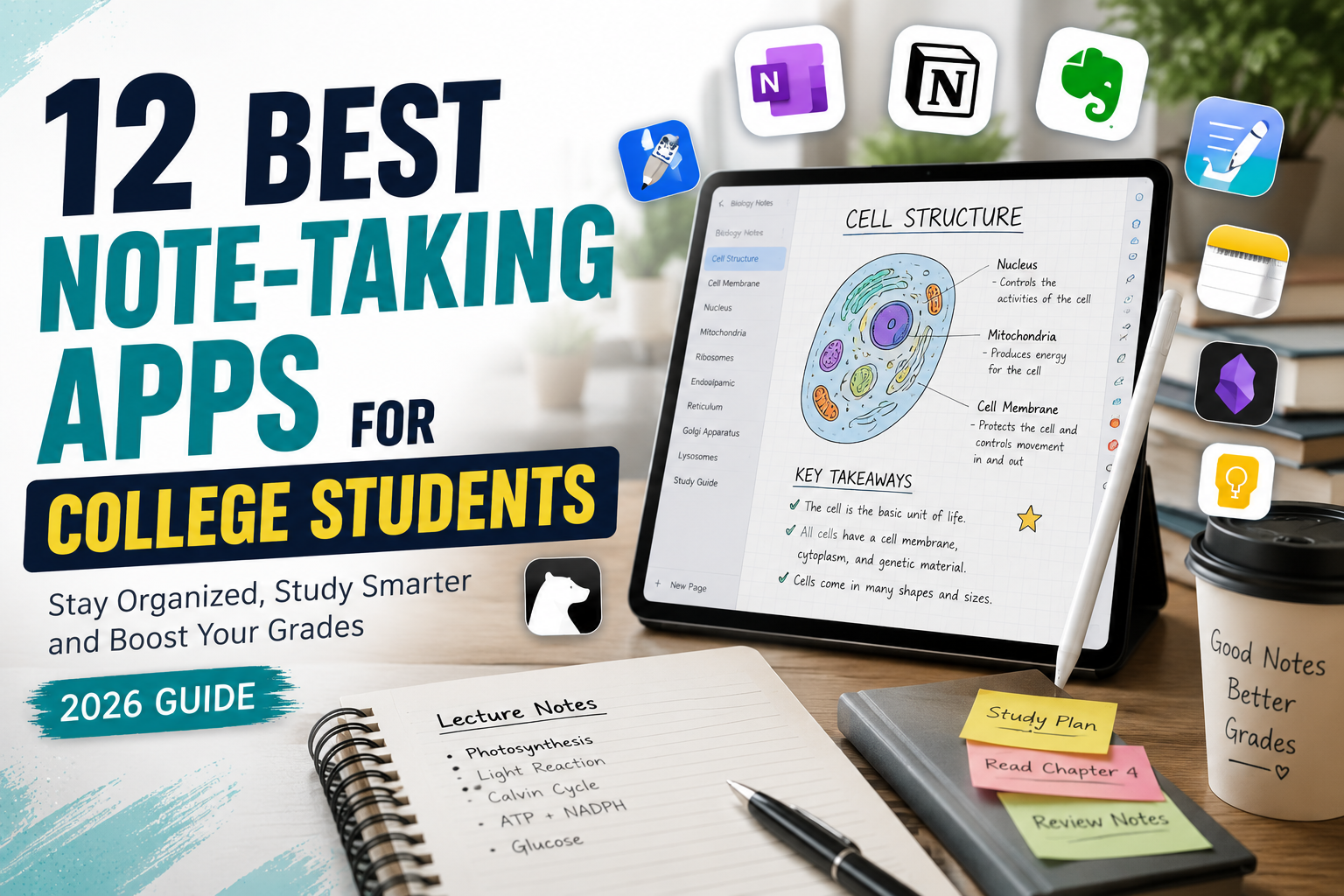
Keeping your lecture notes organized has become just as important as attending class. Between lectures, assignments, group projects, and exam preparation, college students need a reliable note-taking app that works across multiple devices and keeps everything in one place.
Today’s best note-taking apps go far beyond simple text editors. Many now include handwriting support, cloud synchronization, AI-powered summaries, audio recording, PDF annotation, collaboration tools, and powerful search features that make studying much more efficient.
If you’re searching for the best note taking apps for college students, you’ve come to the right place. We tested the most popular apps based on ease of use, organization features, device compatibility, pricing, offline support, AI capabilities, and overall value.
Whether you use Windows, macOS, Android, iPhone, or iPad, there’s an app here that can help you stay organized throughout the semester.
Why College Students Need a Good Note-Taking App
A quality note-taking app can help you:
- Organize lecture notes by subject
- Sync notes across all your devices
- Record lectures and attach audio to notes
- Annotate PDFs and textbooks
- Search handwritten or typed notes instantly
- Create to-do lists and study schedules
- Collaborate with classmates
- Reduce paper clutter
- Prepare for exams more efficiently
Instead of juggling multiple notebooks, everything stays securely stored and accessible wherever you study.
How We Ranked These Apps
To create this list, we evaluated each app based on:
| Evaluation Criteria | Importance |
|---|---|
| Ease of Use | ⭐⭐⭐⭐⭐ |
| Organization Features | ⭐⭐⭐⭐⭐ |
| Cloud Sync | ⭐⭐⭐⭐⭐ |
| AI Features | ⭐⭐⭐⭐☆ |
| Offline Access | ⭐⭐⭐⭐⭐ |
| Cross-Platform Support | ⭐⭐⭐⭐⭐ |
| Value for Students | ⭐⭐⭐⭐⭐ |
1. Microsoft OneNote
⭐ Best Overall Note-Taking App for College Students
Overall Rating: 9.9/10
Microsoft OneNote continues to be one of the best note-taking apps for students because it combines flexibility, organization, and cross-platform support without requiring a paid subscription for most core features.
Unlike traditional notebooks, OneNote lets you create unlimited notebooks, sections, and pages, making it easy to organize notes by semester, subject, or project. You can also insert images, PDFs, drawings, equations, voice recordings, and handwritten notes—all in one place.
Its seamless integration with Microsoft 365 makes it especially useful for students who already use Word, PowerPoint, or Outlook.
Key Features
- Unlimited digital notebooks
- Handwriting support
- Audio recording
- Cloud synchronization
- PDF annotation
- OCR text recognition
- Collaboration tools
- Microsoft 365 integration
Pros & Cons
| Pros | Cons |
|---|---|
| Free for most students | Interface can feel overwhelming at first |
| Excellent organization | Limited advanced AI features |
| Cross-platform support | Some premium Microsoft features require a subscription |
| Works offline | |
| Great handwriting support |
Best For
Students who want an all-in-one note-taking solution that works on Windows, Mac, Android, iPhone, and iPad.
2. Notion
⭐ Best All-in-One Workspace
Overall Rating: 9.8/10
Notion has become much more than a note-taking app. It combines notes, databases, calendars, task management, project planning, and AI into a single workspace.
Students can create study dashboards, assignment trackers, lecture notes, revision schedules, reading lists, and collaborative group projects without switching between multiple apps.
The addition of Notion AI makes it even more powerful by generating summaries, improving writing, and organizing information automatically.
Key Features
- AI writing assistant
- Databases
- Task management
- Calendar integration
- Templates
- Collaboration
- Cross-device syncing
Pros & Cons
| Pros | Cons |
|---|---|
| Powerful organization | Learning curve for beginners |
| AI note summaries | Offline mode is still limited |
| Thousands of templates | AI features require a paid plan |
| Excellent collaboration | |
| Highly customizable |
Best For
Students who want one app to manage classes, assignments, notes, and personal productivity.
3. Goodnotes
⭐ Best for iPad Users
Overall Rating: 9.7/10
If you own an iPad with an Apple Pencil, Goodnotes delivers one of the best handwriting experiences available.
Its natural writing feel, searchable handwritten notes, PDF markup tools, and study-friendly organization make it a favorite among medical, engineering, and science students who regularly write equations or diagrams.
Key Features
- Handwriting recognition
- PDF annotation
- Apple Pencil optimization
- Flashcards
- Cloud backup
- Folder organization
Pros & Cons
| Pros | Cons |
|---|---|
| Outstanding handwriting experience | Primarily designed for Apple devices |
| Fast PDF annotation | Limited functionality on Windows |
| Search handwritten notes | Full version requires purchase |
| Beautiful notebook templates | |
| Great for diagrams and equations |
Best For
Students who primarily study using an iPad.
4. Evernote
⭐ Best for Research and Organization
Overall Rating: 9.5/10
Evernote remains one of the strongest productivity apps for students who manage large amounts of research material.
Its web clipper allows you to save articles, research papers, images, and webpages directly into organized notebooks. Combined with powerful search and tagging features, it’s an excellent choice for research-heavy courses.
Key Features
- Web Clipper
- AI search
- PDF search
- Document scanning
- Tasks
- Calendar integration
- Cross-platform sync
Pros & Cons
| Pros | Cons |
|---|---|
| Powerful search features | Free plan has upload limits |
| Excellent web clipping | Premium subscription can be expensive |
| Great organization tools | |
| AI-powered search | |
| Reliable cloud sync |
Best For
Students writing research papers, dissertations, and long-form assignments.
Which App Is Best So Far?
| App | Best For | Rating |
|---|---|---|
| Microsoft OneNote | Overall Best | ⭐ 9.9 |
| Notion | Productivity & AI | ⭐ 9.8 |
| Goodnotes | iPad Users | ⭐ 9.7 |
| Evernote | Research | ⭐ 9.5 |
Tips for Choosing the Right Note-Taking App
Before downloading an app, ask yourself:
- Do you prefer typing or handwriting?
- Do you use Windows, Mac, or iPad?
- Do you need AI-powered summaries?
- Will you collaborate with classmates?
- Do you often annotate PDFs?
- Is offline access important?
Choosing an app that matches your workflow will help you stay organized and save valuable study time throughout your college years.
5. Obsidian
⭐ Best for Knowledge Management
Overall Rating: 9.4/10
Obsidian has gained a loyal following among students who want to build a personal knowledge base rather than simply store notes. Instead of organizing information into traditional folders, it connects notes using bidirectional links, creating a “knowledge graph.”
This approach is especially useful for subjects where concepts are interconnected, such as medicine, law, psychology, history, and computer science.
Key Features
- Bidirectional note linking
- Graph View visualization
- Markdown editor
- Offline-first storage
- Community plugins
- Themes and customization
Pros & Cons
| Pros | Cons |
|---|---|
| Completely free for personal use | Learning curve for beginners |
| Extremely fast | No built-in cloud sync (optional paid service) |
| Powerful linking system | Markdown may not suit everyone |
| Large plugin ecosystem | |
| Excellent for long-term learning |
Best For
Students who enjoy organizing knowledge and building interconnected study materials.
6. Apple Notes
⭐ Best Free App for Apple Users
Overall Rating: 9.3/10
Apple Notes has evolved into a surprisingly powerful note-taking app. If you’re already using an iPhone, iPad, or Mac, it’s free, easy to use, and seamlessly syncs through iCloud.
Students can create folders, scan documents, sketch diagrams, insert checklists, and even collaborate on notes without downloading additional software.
Key Features
- Handwriting support
- Smart folders
- PDF scanning
- Checklists
- Password-protected notes
- iCloud sync
Pros & Cons
| Pros | Cons |
|---|---|
| Completely free | Only available in the Apple ecosystem |
| Very simple interface | Fewer advanced organization tools |
| Fast syncing | Limited customization |
| Excellent security | |
| Great handwriting support |
Best For
Students who primarily use Apple devices and want a simple, reliable note-taking solution.
7. Google Keep
⭐ Best for Quick Notes
Overall Rating: 9.1/10
Google Keep focuses on speed and simplicity. It isn’t designed for lengthy lecture notes, but it excels at capturing ideas, creating reminders, making checklists, and organizing quick study notes.
Because it integrates with Google Workspace, students can easily access their notes from Gmail, Google Docs, and Google Calendar.
Key Features
- Sticky-note interface
- Voice notes
- Labels and colors
- Reminders
- OCR image recognition
- Google account sync
Pros & Cons
| Pros | Cons |
|---|---|
| Completely free | Limited formatting options |
| Very fast and lightweight | Not ideal for large notebooks |
| Excellent synchronization | Basic organization features |
| Voice recording support | |
| Easy collaboration |
Best For
Students who need a fast app for reminders, ideas, and quick lecture highlights.
8. Bear
⭐ Best Minimalist Writing Experience
Overall Rating: 9.0/10
Bear is a beautifully designed note-taking app known for its clean interface and distraction-free writing environment. It supports Markdown formatting, tagging, and rich text editing while remaining incredibly easy to use.
Although primarily available on Apple devices, Bear is a favorite among writers, journalism students, and humanities majors.
Key Features
- Markdown support
- Tags for organization
- Rich text editing
- Beautiful themes
- Cross-note linking
Pros & Cons
| Pros | Cons |
|---|---|
| Elegant user interface | Apple devices only |
| Fast performance | Limited collaboration features |
| Excellent writing experience | Some features require Bear Pro |
| Easy organization with tags | |
| Distraction-free editor |
Best For
Students who prioritize writing and prefer a clean, minimalist workspace.
9. Notability
⭐ Best for Lecture Recording
Overall Rating: 8.9/10
Notability stands out by allowing students to record audio while taking handwritten or typed notes. During playback, tapping a note jumps to the exact moment in the lecture when it was written—a huge advantage for reviewing complex classes.
Key Features
- Audio recording
- Handwriting
- PDF annotation
- Apple Pencil support
- Cloud sync
- Subject dividers
Pros & Cons
| Pros | Cons |
|---|---|
| Outstanding lecture recording | Primarily for Apple devices |
| Excellent handwriting support | Subscription required for premium features |
| Great PDF annotation | |
| Easy organization | |
| Reliable synchronization |
Best For
Students who regularly attend lectures and want synchronized audio notes.
10. Simplenote
⭐ Best Lightweight Note-Taking App
Overall Rating: 8.8/10
Simplenote focuses on exactly what its name suggests: simple, distraction-free note-taking. It loads quickly, syncs across devices, and supports Markdown without overwhelming users with unnecessary features.
Key Features
- Markdown support
- Version history
- Cross-platform sync
- Tags
- Lightweight design
Pros & Cons
| Pros | Cons |
|---|---|
| Completely free | No handwriting support |
| Extremely fast | Very limited formatting |
| Automatic syncing | No PDF annotation |
| Version history | |
| Works on multiple platforms |
Best For
Students who prefer speed and simplicity over advanced features.
11. Joplin
⭐ Best Open-Source Note-Taking App
Overall Rating: 8.7/10
Joplin is an open-source application that gives users full control over their notes. It supports Markdown, end-to-end encryption, offline storage, and synchronization with several cloud providers.
Key Features
- End-to-end encryption
- Offline storage
- Markdown support
- Web clipper
- Cross-platform compatibility
Pros & Cons
| Pros | Cons |
|---|---|
| Free and open source | Interface feels less polished |
| Excellent privacy | Setup can be technical |
| Offline-first | Fewer built-in templates |
| Secure encryption | |
| Flexible sync options |
Best For
Students who value privacy, offline access, and open-source software.
12. Zoho Notebook
⭐ Best Free Alternative
Overall Rating: 8.6/10
Zoho Notebook combines colorful notebook designs with practical productivity features. It supports text notes, checklists, audio recordings, sketches, and file attachments while remaining completely free for most users.
Key Features
- Rich media notes
- Audio recording
- Web clipping
- Notebook organization
- Cloud sync
Pros & Cons
| Pros | Cons |
|---|---|
| Attractive interface | Smaller ecosystem than competitors |
| Free to use | Fewer advanced AI features |
| Multiple note formats | Limited third-party integrations |
| Cross-device sync | |
| Easy notebook organization |
Best For
Students looking for a free, visually appealing alternative to mainstream note-taking apps.
Complete Comparison Table
| App | Best For | Free Plan | AI Features | Handwriting | Offline | Rating |
|---|---|---|---|---|---|---|
| Microsoft OneNote | Overall | ✅ | Limited | ✅ | ✅ | ⭐ 9.9 |
| Notion | Productivity | ✅ | ✅ | ❌ | Partial | ⭐ 9.8 |
| Goodnotes | iPad | Limited | ❌ | ✅ | ✅ | ⭐ 9.7 |
| Evernote | Research | Limited | ✅ | Partial | ✅ | ⭐ 9.5 |
| Obsidian | Knowledge Base | ✅ | Plugins | ❌ | ✅ | ⭐ 9.4 |
| Apple Notes | Apple Users | ✅ | Limited | ✅ | ✅ | ⭐ 9.3 |
| Google Keep | Quick Notes | ✅ | Limited | ❌ | Partial | ⭐ 9.1 |
| Bear | Writing | Limited | ❌ | Partial | ✅ | ⭐ 9.0 |
| Notability | Lecture Notes | Limited | ❌ | ✅ | ✅ | ⭐ 8.9 |
| Simplenote | Simplicity | ✅ | ❌ | ❌ | ✅ | ⭐ 8.8 |
| Joplin | Privacy | ✅ | Plugins | ❌ | ✅ | ⭐ 8.7 |
| Zoho Notebook | Free Alternative | ✅ | Limited | Partial | ✅ | ⭐ 8.6 |
Which Note-Taking App Should You Choose?
Best Overall:
Microsoft OneNote remains the best all-around choice thanks to its free features, organization tools, and cross-platform support.
Best for AI Features:
Notion offers the strongest AI capabilities, helping students summarize notes, brainstorm ideas, and organize projects.
Best for iPad Users:
Goodnotes provides an exceptional handwriting experience with Apple Pencil support.
Best for Research:
Evernote excels at collecting articles, PDFs, and web pages for research-heavy assignments.
Best Free Option:
Microsoft OneNote and Google Keep provide excellent value without requiring a subscription.
Common Mistakes Students Make
Avoid these common note-taking mistakes:
- Creating one notebook for every class without using sections or tags.
- Forgetting to back up notes to the cloud.
- Mixing personal and academic notes.
- Relying only on handwritten notes when searchable text could save time.
- Ignoring built-in features like reminders, OCR, and templates.
Using your note-taking app effectively is just as important as choosing the right one.
Frequently Asked Questions (FAQ)
Microsoft OneNote is our top recommendation because it offers an excellent balance of powerful features, cross-platform compatibility, offline support, cloud syncing, and a generous free plan. It works well for nearly every type of college student.
Goodnotes is the best option for iPad users, especially if you own an Apple Pencil. It provides an excellent handwriting experience, PDF annotation, and searchable handwritten notes.
Microsoft OneNote and Google Keep are among the best free note-taking apps. Both provide cloud syncing, mobile apps, and useful organization features without requiring a subscription
Yes. Digital note-taking apps help students stay organized, search notes instantly, synchronize across devices, collaborate on projects, and prepare more efficiently for exams
Goodnotes and Notability offer the best handwriting experience, while Microsoft OneNote is an excellent cross-platform alternative.
Notion currently offers one of the strongest AI-powered note-taking experiences. Its AI can summarize notes, generate study guides, brainstorm ideas, improve writing, and organize information automatically
Yes. Most apps in this guide including Microsoft OneNote, Goodnotes, Obsidian, Joplin, Apple Notes, and Simplenote allow offline access, although cloud synchronization requires an internet connection.
Final Verdict
- Choosing the best note taking apps for college students depends on your learning style, preferred devices, and study habits.
- If you’re looking for the best all-around solution, Microsoft OneNote is hard to beat thanks to its flexibility, free features, and excellent organization tools.
- If AI-powered productivity is your priority, Notion stands out with intelligent writing assistance, project management, and customizable workspaces.
- For iPad users, Goodnotes remains the gold standard for handwriting and PDF annotation.
- Students who conduct extensive research should consider Evernote, while those who value privacy and offline access may prefer Obsidian or Joplin.
Ultimately, the best note-taking app is the one that fits your workflow and helps you stay consistent throughout the semester. Test a few options, build a note-taking system that works for you, and focus on developing strong study habits alongside the right technology.
Also Read: 10 Best Free AI Resume Builders in 2026 (Tested & Ranked)