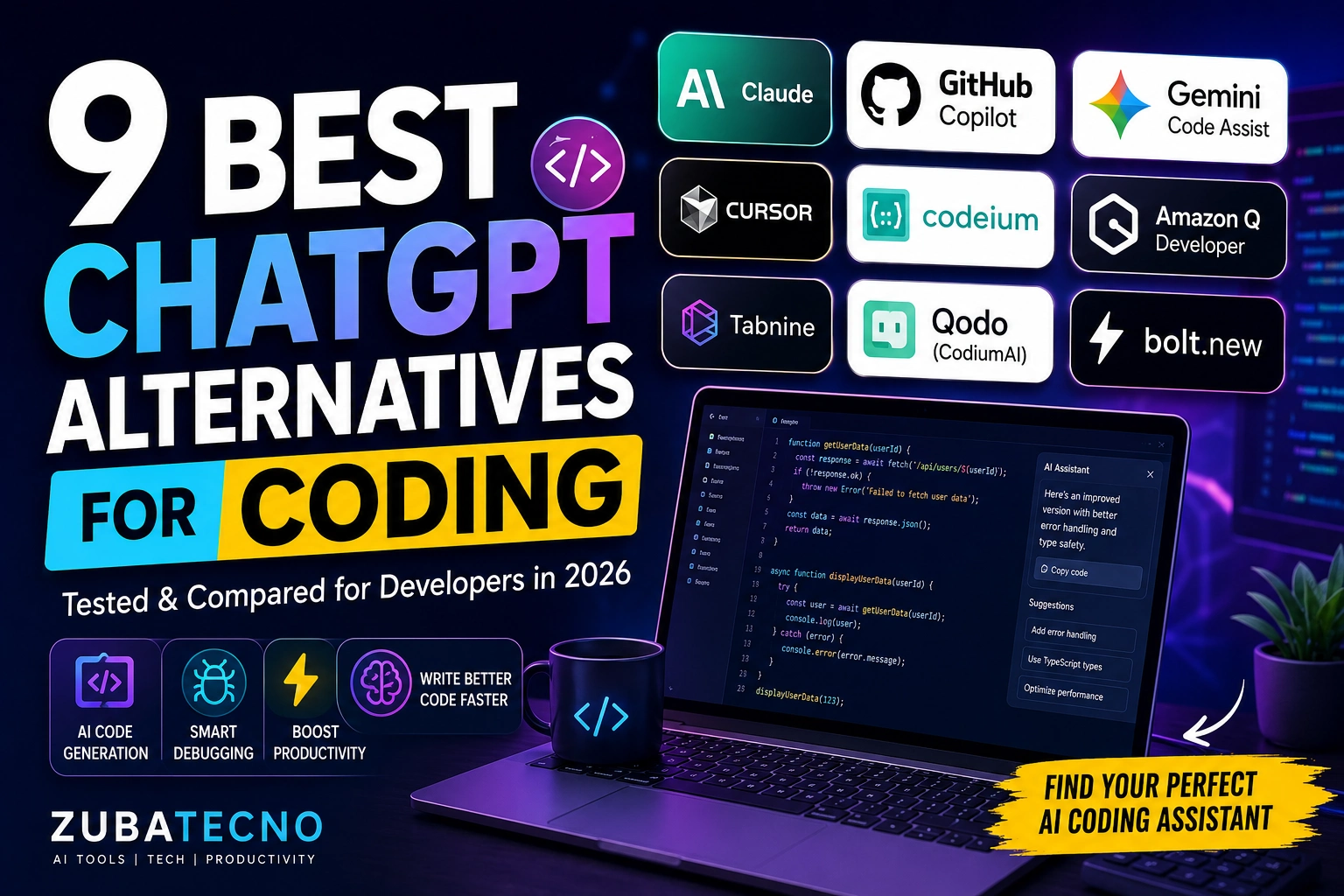
Artificial intelligence has become an essential part of modern software development. From writing boilerplate code and debugging errors to explaining complex algorithms and generating documentation, AI coding assistants help developers work faster and more efficiently.
While ChatGPT remains one of the most popular coding assistants, it’s no longer the only option. Several specialized AI tools now offer better IDE integration, faster code completion, deeper repository awareness, and features tailored specifically for developers.
If you’re searching for the best ChatGPT alternatives for coding, you’ve come to the right place. We tested the leading AI coding assistants based on coding accuracy, debugging capabilities, IDE integration, supported programming languages, ease of use, pricing, and overall value.
Whether you’re a student learning Python, a web developer building React applications, or an experienced software engineer working with enterprise systems, this guide will help you choose the right AI coding assistant.
At a Glance: Best ChatGPT Alternatives for Coding
| Tool | Best For | Free Plan | IDE Integration | AI Quality | Overall Rating |
|---|---|---|---|---|---|
| 🥇 Claude | Complex Coding | ✅ Yes | Web/API | ⭐⭐⭐⭐⭐ | ⭐⭐⭐⭐⭐ (9.9/10) |
| 🥈 GitHub Copilot | VS Code | Trial | ✅ | ⭐⭐⭐⭐⭐ | ⭐⭐⭐⭐⭐ (9.8/10) |
| 🥉 Gemini Code Assist | Google Developers | ✅ Yes | ✅ | ⭐⭐⭐⭐⭐ | ⭐⭐⭐⭐⭐ (9.7/10) |
| Cursor | AI IDE | ✅ Yes | Built-in | ⭐⭐⭐⭐⭐ | ⭐⭐⭐⭐☆ (9.6/10) |
| Codeium | Free Code Completion | ✅ Yes | ✅ | ⭐⭐⭐⭐☆ | ⭐⭐⭐⭐☆ (9.4/10) |
| Amazon Q Developer | AWS Development | ✅ Yes | ✅ | ⭐⭐⭐⭐☆ | ⭐⭐⭐⭐☆ (9.3/10) |
| Tabnine | Enterprise Teams | Limited | ✅ | ⭐⭐⭐⭐ | ⭐⭐⭐⭐ (9.1/10) |
| Qodo | Code Testing | Limited | ✅ | ⭐⭐⭐⭐ | ⭐⭐⭐⭐ (9.0/10) |
| Bolt.new | Full-Stack App Generation | Limited | Browser | ⭐⭐⭐⭐☆ | ⭐⭐⭐⭐ (8.9/10) |
Quick Recommendation
🏆 Best Overall: Claude
💻 Best for VS Code: GitHub Copilot
🚀 Best AI IDE: Cursor
☁️ Best for Google Developers: Gemini Code Assist
💰 Best Free AI Coding Tool: Codeium
Why Developers Need AI Coding Assistants
Modern development is about more than writing code. Developers spend time debugging, reviewing pull requests, writing documentation, learning new frameworks, optimizing performance, and fixing security issues.
AI coding assistants help automate many of these repetitive tasks, allowing developers to focus on solving real problems.
Benefits include:
- Generate code faster
- Debug errors quickly
- Explain unfamiliar code
- Refactor legacy projects
- Write documentation automatically
- Generate unit tests
- Learn new programming languages
- Improve code quality
- Reduce repetitive coding tasks
- Increase overall productivity
When used correctly, AI becomes a valuable coding partner rather than a replacement for developer expertise.
How We Tested These AI Coding Tools
Rather than ranking tools based on popularity, we tested each platform using practical development tasks commonly performed by software engineers.
Our evaluation included:
| Evaluation Criteria | Importance |
|---|---|
| Code Quality | ⭐⭐⭐⭐⭐ |
| Debugging Ability | ⭐⭐⭐⭐⭐ |
| Code Explanation | ⭐⭐⭐⭐⭐ |
| IDE Integration | ⭐⭐⭐⭐⭐ |
| Programming Language Support | ⭐⭐⭐⭐⭐ |
| Ease of Use | ⭐⭐⭐⭐⭐ |
| Free Features | ⭐⭐⭐⭐☆ |
| Overall Value | ⭐⭐⭐⭐⭐ |
Each tool was evaluated using tasks such as:
- Python scripting
- JavaScript and React development
- SQL query generation
- API development
- Bug fixing
- Code refactoring
- Documentation writing
- Algorithm explanations
1. Claude
🏆 Best Overall ChatGPT Alternative for Coding
Overall Rating: 9.9/10
Claude has become one of the strongest AI assistants for software development. It excels at understanding large codebases, explaining complex logic, debugging difficult issues, and generating clean, readable code.
Its ability to analyze long files and maintain context makes it especially valuable for developers working on large projects.
Key Features
- Long-context conversations
- Code generation
- Debugging assistance
- Code reviews
- Documentation writing
- Algorithm explanations
- Multiple programming languages
- API support
Pros & Cons
| Pros | Cons |
|---|---|
| Excellent code understanding | Limited IDE integration compared to dedicated coding assistants |
| Handles large codebases | Advanced features require Claude Pro |
| Produces clean, readable code | |
| Great debugging explanations | |
| Supports many programming languages |
Best For
Professional developers, software engineers, students, and teams working on medium to large projects.
2. GitHub Copilot
💻 Best for Visual Studio Code
Overall Rating: 9.8/10
GitHub Copilot remains one of the most widely used AI coding assistants thanks to its deep integration with Visual Studio Code and other popular IDEs.
Instead of acting like a chatbot, Copilot provides intelligent code suggestions directly inside your editor, helping you write code faster with fewer interruptions.
Key Features
- AI code completion
- Inline suggestions
- Chat mode
- Pull request assistance
- Terminal support
- Multi-language support
- GitHub integration
Pros & Cons
| Pros | Cons |
|---|---|
| Outstanding VS Code integration | Subscription required after trial |
| Excellent autocomplete | Less conversational than chatbot-based AI |
| Fast code generation | |
| Great developer workflow | |
| Supports many languages |
Best For
Developers using Visual Studio Code, JetBrains IDEs, and GitHub workflows.
3. Gemini Code Assist
☁️ Best for Google Developers
Overall Rating: 9.7/10
Gemini Code Assist combines Google’s AI capabilities with IDE integration to help developers write, explain, and optimize code.
It works particularly well for developers already using Google Cloud, Firebase, or Android Studio.
Key Features
- AI coding assistance
- Google Cloud integration
- Code explanation
- Documentation generation
- Unit test creation
- Security recommendations
Pros & Cons
| Pros | Cons |
|---|---|
| Excellent Google ecosystem integration | Newer than some competitors |
| Strong code explanations | Some enterprise features require paid plans |
| Fast responses | |
| Good security suggestions | |
| Helpful documentation generation |
Best For
Android developers, Google Cloud users, and full-stack developers.
4. Cursor
🚀 Best AI-Powered Code Editor
Overall Rating: 9.6/10
Cursor isn’t just another AI assistant it’s an AI-first code editor built on VS Code. It understands your entire project, edits multiple files simultaneously, explains code, and generates new features using natural language.
For developers who want AI deeply integrated into every part of their workflow, Cursor is one of the most innovative options available.
Key Features
- AI-first IDE
- Project-wide understanding
- Multi-file editing
- Natural language commands
- Code generation
- Refactoring tools
- Built-in AI chat
Pros & Cons
| Pros | Cons |
|---|---|
| AI integrated into the editor | Learning curve for new users |
| Understands large projects | Premium plan unlocks higher usage limits |
| Excellent multi-file editing | |
| Fast development workflow | |
| Familiar VS Code experience |
Best For
Full-stack developers, startup teams, indie hackers, and developers who want an AI-native coding environment.
Programming Language Support (Top Tools)
| Tool | Python | JavaScript | Java | C++ | Go | Rust | SQL |
|---|---|---|---|---|---|---|---|
| Claude | ✅ | ✅ | ✅ | ✅ | ✅ | ✅ | ✅ |
| GitHub Copilot | ✅ | ✅ | ✅ | ✅ | ✅ | ✅ | ✅ |
| Gemini Code Assist | ✅ | ✅ | ✅ | ✅ | ✅ | ✅ | ✅ |
| Cursor | ✅ | ✅ | ✅ | ✅ | ✅ | ✅ | ✅ |
Editor’s Picks (So Far)
| Category | Winner |
|---|---|
| 🏆 Best Overall | Claude |
| 💻 Best IDE Integration | GitHub Copilot |
| ☁️ Best Google Ecosystem | Gemini Code Assist |
| 🚀 Best AI Code Editor | Cursor |
Before You Continue…
The remaining tools focus on free code completion, AWS development, enterprise teams, automated testing, and AI-powered full-stack application generation.
In the next section, we’ll review Codeium, Amazon Q Developer, Tabnine, Qodo, and Bolt.new, followed by detailed comparison tables, pricing comparisons, and recommendations for different types of developers.
5. Codeium
💰 Best Free ChatGPT Alternative for Coding
Overall Rating: 9.4/10
If you’re looking for a powerful AI coding assistant without paying for a subscription, Codeium is one of the best options available. It provides fast AI code completion, chat-based coding assistance, and support for more than 70 programming languages.
Its free plan is generous enough for individual developers, students, and freelancers, making it an excellent alternative to GitHub Copilot.
Key Features
- AI code completion
- AI coding chat
- IDE extensions
- Multi-language support
- Code explanation
- Code refactoring
- Unlimited individual usage
Pros & Cons
| Pros | Cons |
|---|---|
| Excellent free plan | AI suggestions can occasionally be less accurate than premium competitors |
| Supports many IDEs | Fewer enterprise collaboration features |
| Fast autocomplete | |
| Easy installation | |
| Great for students |
Best For
Students, freelance developers, hobby programmers, and anyone wanting a free AI coding assistant.
6. Amazon Q Developer
☁️ Best for AWS Developers
Overall Rating: 9.3/10
Amazon Q Developer is designed for developers building applications on AWS. It helps generate code, explain cloud services, troubleshoot infrastructure issues, and optimize AWS resources directly inside supported IDEs.
For teams working extensively with Amazon Web Services, it can significantly improve productivity.
Key Features
- AWS integration
- AI coding assistance
- Cloud troubleshooting
- Security recommendations
- Documentation generation
- Code optimization
Pros & Cons
| Pros | Cons |
|---|---|
| Excellent AWS integration | Less useful outside the AWS ecosystem |
| Strong cloud knowledge | Some advanced features require a paid plan |
| Helpful security guidance | |
| Great documentation support | |
| Improves cloud development workflow |
Best For
Cloud engineers, DevOps teams, backend developers, and AWS professionals.
7. Tabnine
🏢 Best for Enterprise Development Teams
Overall Rating: 9.1/10
Tabnine focuses on secure AI code completion for businesses and enterprise teams. Unlike many cloud-based assistants, Tabnine also supports self-hosted deployments, giving organizations greater control over sensitive code.
Its emphasis on privacy makes it attractive for companies with strict compliance requirements.
Key Features
- AI code completion
- Team collaboration
- Enterprise deployment
- Privacy controls
- Multi-language support
- IDE integration
Pros & Cons
| Pros | Cons |
|---|---|
| Strong privacy features | Limited free version |
| Enterprise-ready | AI chat features are less advanced |
| Fast autocomplete | |
| Self-hosting options | |
| Broad IDE support |
Best For
Large development teams, enterprise software companies, and security-conscious organizations.
8. Qodo (Formerly CodiumAI)
🧪 Best for Testing & Code Quality
Overall Rating: 9.0/10
Qodo specializes in improving code quality by helping developers generate tests, review pull requests, identify bugs, and analyze complex code.
Rather than replacing coding assistants like ChatGPT, it complements them by focusing on software quality and testing.
Key Features
- AI test generation
- Pull request reviews
- Bug detection
- Code explanations
- Static analysis
- IDE integration
Pros & Cons
| Pros | Cons |
|---|---|
| Excellent automated testing | Smaller feature set than general AI assistants |
| Improves code quality | Limited free features |
| Helpful pull request reviews | |
| Supports multiple languages | |
| Easy IDE integration |
Best For
QA engineers, software testers, backend developers, and development teams focused on code quality.
9. Bolt.new
⚡ Best for Full-Stack AI App Development
Overall Rating: 8.9/10
Bolt.new takes a different approach by allowing developers to generate complete web applications using natural language prompts. Instead of writing small code snippets, users can build React applications, APIs, databases, and full-stack projects directly in the browser.
This makes it one of the most exciting AI tools for rapid prototyping.
Key Features
- Full-stack app generation
- React support
- Backend generation
- Browser-based IDE
- Instant preview
- Natural language prompts
Pros & Cons
| Pros | Cons |
|---|---|
| Extremely fast prototyping | Usage limits on free plan |
| Generates complete applications | Less control than manual coding |
| Modern development workflow | |
| Browser-based development | |
| Great for MVPs |
Best For
Startup founders, indie hackers, web developers, and rapid application prototyping.
Complete Comparison Table
| Tool | Best For | Free Plan | IDE Support | AI Coding | Rating |
|---|---|---|---|---|---|
| Claude | Overall | ✅ | Web/API | ⭐⭐⭐⭐⭐ | ⭐ 9.9 |
| GitHub Copilot | VS Code | Trial | ✅ | ⭐⭐⭐⭐⭐ | ⭐ 9.8 |
| Gemini Code Assist | Google Developers | ✅ | ✅ | ⭐⭐⭐⭐⭐ | ⭐ 9.7 |
| Cursor | AI IDE | ✅ | Built-in | ⭐⭐⭐⭐⭐ | ⭐ 9.6 |
| Codeium | Free Coding | ✅ | ✅ | ⭐⭐⭐⭐☆ | ⭐ 9.4 |
| Amazon Q Developer | AWS | ✅ | ✅ | ⭐⭐⭐⭐☆ | ⭐ 9.3 |
| Tabnine | Enterprise | Limited | ✅ | ⭐⭐⭐⭐ | ⭐ 9.1 |
| Qodo | Testing | Limited | ✅ | ⭐⭐⭐⭐ | ⭐ 9.0 |
| Bolt.new | Full-Stack Apps | Limited | Browser | ⭐⭐⭐⭐☆ | ⭐ 8.9 |
Supported IDEs
| Tool | VS Code | JetBrains | Visual Studio | Neovim | Web |
|---|---|---|---|---|---|
| Claude | ❌ | ❌ | ❌ | ❌ | ✅ |
| GitHub Copilot | ✅ | ✅ | ✅ | ✅ | Limited |
| Cursor | Built-in | ❌ | ❌ | ❌ | ❌ |
| Codeium | ✅ | ✅ | ✅ | ✅ | Limited |
| Amazon Q Developer | ✅ | ✅ | ✅ | ❌ | Limited |
Best AI Coding Assistant by Use Case
| If You Need… | Best Choice |
|---|---|
| 🏆 Best Overall | Claude |
| 💻 Best VS Code Experience | GitHub Copilot |
| 🚀 Best AI Code Editor | Cursor |
| 💰 Best Free Option | Codeium |
| ☁️ Best for AWS | Amazon Q Developer |
| 🧪 Best Testing Assistant | Qodo |
| 🏢 Best Enterprise Solution | Tabnine |
| ⚡ Best for Building Full Apps | Bolt.new |
Pricing at a Glance
| Tool | Free Plan | Paid Plan Starts | Best Value |
|---|---|---|---|
| Claude | ✅ | $20/month | ⭐⭐⭐⭐⭐ |
| GitHub Copilot | Trial | $10/month | ⭐⭐⭐⭐⭐ |
| Gemini Code Assist | ✅ | Enterprise pricing | ⭐⭐⭐⭐☆ |
| Cursor | ✅ | $20/month | ⭐⭐⭐⭐⭐ |
| Codeium | ✅ | Team plans available | ⭐⭐⭐⭐⭐ |
| Amazon Q Developer | ✅ | Enterprise pricing | ⭐⭐⭐⭐☆ |
| Tabnine | Limited | $12/month | ⭐⭐⭐⭐ |
| Qodo | Limited | Team plans available | ⭐⭐⭐⭐ |
| Bolt.new | Limited | Usage-based | ⭐⭐⭐⭐ |
How to Build the Perfect AI Coding Workflow
Instead of depending on one AI assistant, combine specialized tools for different stages of development.
Step 1: Plan Your Solution
Use Claude to design system architecture, explain algorithms, and break complex projects into manageable tasks.
Step 2: Write Code Faster
Use GitHub Copilot, Cursor, or Codeium inside your IDE for real-time code completion and suggestions.
Step 3: Debug Problems
Ask Claude or Gemini Code Assist to explain errors, identify bugs, and recommend fixes.
Step 4: Test Your Code
Generate unit tests and review pull requests with Qodo.
Step 5: Deploy to the Cloud
If you’re using AWS, Amazon Q Developer can assist with infrastructure, cloud services, and deployment guidance.
Common Mistakes Developers Make with AI
AI can significantly improve productivity, but avoid these common mistakes:
- Copying generated code without understanding it.
- Ignoring security vulnerabilities.
- Skipping manual testing.
- Forgetting to optimize AI-generated code.
- Sharing confidential code with public AI services without reviewing privacy policies.
- Depending on AI instead of learning core programming concepts.
The best developers treat AI as a collaborative assistant not a replacement for engineering knowledge.
Frequently Asked Questions
Based on our testing, Claude is the best ChatGPT alternative for coding in 2026. It excels at explaining complex code, debugging large projects, generating documentation, and understanding long codebases. For developers who primarily work inside an IDE, GitHub Copilot and Cursor are also excellent choices.
Codeium is one of the best options for beginners because it offers a generous free plan, supports many programming languages, and integrates with popular IDEs. Beginners can also benefit from Claude, which explains code in a beginner-friendly way.
It depends on your workflow. GitHub Copilot is better for real-time code completion directly inside your IDE, while ChatGPT and Claude are stronger for explaining concepts, debugging, architecture planning, and generating detailed code examples.
Several tools offer generous free plans, including Claude, Gemini Code Assist, Codeium, and Amazon Q Developer. While some advanced features require paid subscriptions, these free versions are sufficient for many students and independent developers.
Yes. Modern AI tools like Cursor, Claude, GitHub Copilot, and Bolt.new can generate large portions of web applications, APIs, and backend logic. However, developers should always review, test, and secure AI-generated code before deploying it.
Generally, yes but avoid sharing confidential source code or sensitive credentials with public AI services unless your organization has approved policies in place. Always review the privacy and data retention practices of the tools you use.
GitHub Copilot remains one of the strongest choices for Visual Studio Code due to its deep integration and inline code suggestions. Cursor and Codeium are also excellent options for VS Code users.
Final Verdict
Choosing the best ChatGPT alternatives for coding depends on your development workflow, preferred IDE, and project requirements.
If you need an all-around AI assistant for planning, debugging, explaining code, and solving programming problems, Claude is our top recommendation. Its ability to understand large codebases and provide detailed explanations makes it invaluable for both students and experienced developers.
For developers who spend most of their day inside Visual Studio Code or JetBrains IDEs, GitHub Copilot delivers one of the smoothest coding experiences with intelligent autocomplete and inline suggestions.
If you want an AI-native development environment, Cursor stands out by combining a familiar code editor with powerful project-wide AI capabilities. Developers working in Google Cloud should consider Gemini Code Assist, while Codeium offers exceptional value for those seeking a free AI coding assistant.
Ultimately, AI should be viewed as a productivity partner rather than a replacement for programming knowledge. The most successful developers use AI to automate repetitive tasks, improve code quality, and accelerate learning while continuing to build strong software engineering fundamentals.