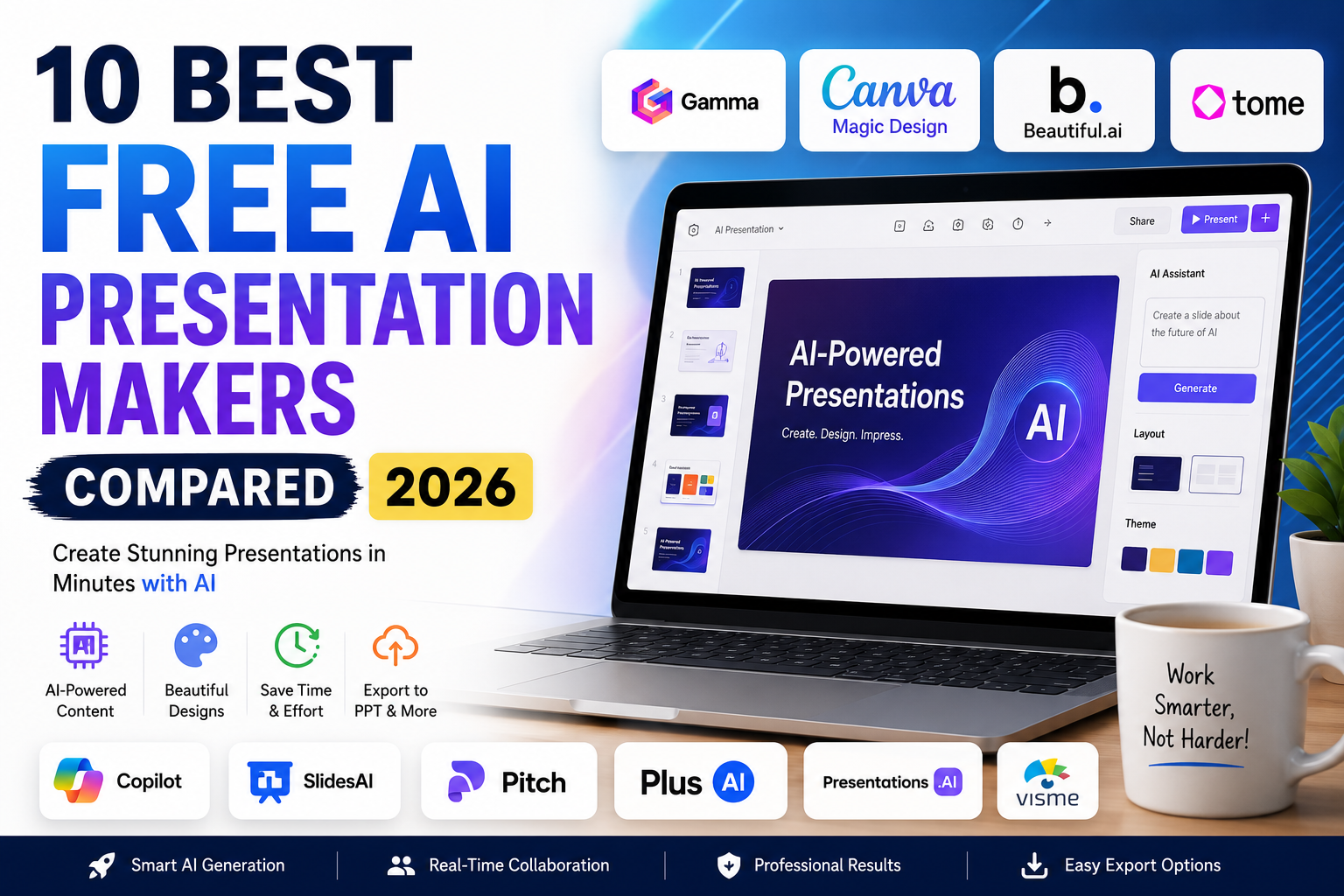
Creating professional presentations used to take hours of designing, formatting, and editing. Thanks to artificial intelligence, anyone can now build polished presentations in minutes by simply describing their topic.
Modern AI presentation makers can generate complete slide decks, write content, design layouts, suggest images, create charts, and even add speaker notes automatically. Whether you’re a student preparing for class, a teacher designing lessons, a startup pitching investors, or a professional creating business reports, AI can dramatically reduce the time required to build high-quality presentations.
If you’re searching for the best free AI presentation maker, you’ve come to the right place. We tested the most popular AI presentation tools based on ease of use, AI quality, design, customization, export options, collaboration, and overall value.
This guide compares the 10 best free AI presentation makers in 2026 so you can choose the one that fits your needs.
At a Glance: Best Free AI Presentation Makers
| Tool | Best For | Free Plan | PowerPoint Export | AI Quality | Overall Rating |
|---|---|---|---|---|---|
| 🥇 Gamma | Overall Best | ✅ Yes | ✅ Yes | ⭐⭐⭐⭐⭐ | ⭐⭐⭐⭐⭐ (9.9/10) |
| 🥈 Canva Magic Design | Beginners | ✅ Yes | ✅ Yes | ⭐⭐⭐⭐⭐ | ⭐⭐⭐⭐⭐ (9.8/10) |
| 🥉 Beautiful.ai | Business Presentations | Trial | ✅ Yes | ⭐⭐⭐⭐⭐ | ⭐⭐⭐⭐⭐ (9.7/10) |
| Tome | Storytelling | ✅ Yes | Limited | ⭐⭐⭐⭐⭐ | ⭐⭐⭐⭐☆ (9.5/10) |
| Microsoft Copilot | Microsoft 365 | Limited | ✅ Yes | ⭐⭐⭐⭐⭐ | ⭐⭐⭐⭐☆ (9.4/10) |
| SlidesAI | Google Slides | Limited | Google Slides | ⭐⭐⭐⭐☆ | ⭐⭐⭐⭐☆ (9.3/10) |
| Pitch | Team Collaboration | ✅ Yes | ✅ Yes | ⭐⭐⭐⭐☆ | ⭐⭐⭐⭐☆ (9.2/10) |
| Plus AI | Google Workspace | Trial | Google Slides | ⭐⭐⭐⭐☆ | ⭐⭐⭐⭐ (9.0/10) |
| Presentations.ai | Fast AI Decks | Limited | ✅ Yes | ⭐⭐⭐⭐☆ | ⭐⭐⭐⭐ (8.9/10) |
| Visme AI | Infographics & Reports | Limited | ✅ Yes | ⭐⭐⭐⭐ | ⭐⭐⭐⭐ (8.8/10) |
Quick Recommendation
🏆 Best Overall: Gamma
🤖 Best AI Quality: Canva Magic Design
💼 Best for Business: Beautiful.ai
🎓 Best for Students: Gamma
📊 Best for Google Slides: SlidesAI
💰 Best Free Option: Gamma
Why Use an AI Presentation Maker?
Traditional presentation software requires you to manually create slides, write content, choose colors, align images, and maintain a consistent design throughout the presentation.
AI presentation makers automate most of these tasks by generating professional slide decks from a simple prompt.
Here are some of the biggest benefits:
- Create presentations in minutes instead of hours.
- Generate slide content automatically.
- Build attractive, professionally designed layouts.
- Produce speaker notes instantly.
- Save time on formatting and design.
- Improve collaboration for team projects.
- Export presentations to PowerPoint or PDF.
- Quickly customize presentations for different audiences.
Whether you’re creating a classroom presentation, a sales pitch, or a conference talk, AI can significantly improve your workflow.
How We Tested These AI Presentation Makers
Instead of ranking tools solely based on popularity, we evaluated each platform using real-world presentation tasks.
Our testing included:
| Evaluation Criteria | Importance |
|---|---|
| AI Content Quality | ⭐⭐⭐⭐⭐ |
| Presentation Design | ⭐⭐⭐⭐⭐ |
| Ease of Use | ⭐⭐⭐⭐⭐ |
| Customization Options | ⭐⭐⭐⭐⭐ |
| Free Features | ⭐⭐⭐⭐☆ |
| Export Options | ⭐⭐⭐⭐☆ |
| Collaboration | ⭐⭐⭐⭐☆ |
| Overall Value | ⭐⭐⭐⭐⭐ |
Each tool was used to generate presentations on educational, business, and marketing topics to evaluate consistency, accuracy, and usability.
1. Gamma
🏆 Best Overall Free AI Presentation Maker
Overall Rating: 9.9/10
Gamma has become one of the most impressive AI presentation tools available. Instead of simply generating PowerPoint slides, it creates visually engaging presentations, webpages, and interactive documents from a single prompt.
The AI produces well-structured content, attractive layouts, and relevant visuals while allowing users to customize every slide afterward.
Its clean interface, generous free plan, and fast generation speed make it an excellent choice for students, educators, startups, and professionals alike.
Key Features
- AI-generated presentations
- Beautiful modern templates
- Interactive cards
- AI image generation
- Team collaboration
- PDF & PowerPoint export
- Analytics
- Brand customization
Pros & Cons
| Pros | Cons |
|---|---|
| Excellent AI-generated slide quality | Some premium templates require a paid plan |
| Modern professional designs | Limited advanced branding on the free plan |
| Fast presentation generation | |
| Easy editing interface | |
| Great collaboration tools |
Best For
Students, educators, startups, marketers, and professionals who want polished presentations with minimal effort.
2. Canva Magic Design
🎨 Best for Beginners
Overall Rating: 9.8/10
Canva’s Magic Design has evolved into one of the most user-friendly AI presentation makers. Simply describe your topic, and Canva generates a complete presentation with professionally designed slides, graphics, icons, and animations.
Its drag-and-drop interface makes customization easy, even for users with no design experience.
Key Features
- Magic Design AI
- AI writing assistant
- Millions of templates
- Stock photos
- Icons
- Video integration
- Team collaboration
- PowerPoint export
Pros & Cons
| Pros | Cons |
|---|---|
| Extremely beginner-friendly | Some premium assets require Canva Pro |
| Huge template library | AI credits are limited on the free plan |
| Excellent collaboration | |
| Beautiful designs | |
| Fast editing tools |
Best For
Teachers, students, freelancers, and anyone creating visually attractive presentations quickly.
3. Beautiful.ai
💼 Best for Business Presentations
Overall Rating: 9.7/10
Beautiful.ai focuses on creating polished business presentations without requiring design expertise. Its AI automatically adjusts layouts, spacing, and alignment to ensure every slide looks professional.
The platform includes templates for sales decks, investor pitches, reports, marketing presentations, and executive meetings.
Key Features
- AI slide designer
- Smart templates
- Team collaboration
- Brand management
- Analytics
- PowerPoint export
Pros & Cons
| Pros | Cons |
|---|---|
| Outstanding professional layouts | Free trial only |
| Smart automatic formatting | Business-focused templates |
| Great for corporate teams | |
| Excellent branding options | |
| High-quality export |
Best For
Businesses, consultants, startups, and corporate teams.
4. Tome
📖 Best for Storytelling
Overall Rating: 9.5/10
Tome takes a unique approach by combining AI-generated presentations with storytelling. Instead of producing static slides, it creates narrative-driven presentations that feel interactive and engaging.
Users can generate complete presentations, embed videos, create AI-generated images, and collaborate with team members in real time.
Key Features
- AI storytelling
- AI image generation
- Interactive presentations
- Collaboration
- Modern themes
- Multimedia support
Pros & Cons
| Pros | Cons |
|---|---|
| Excellent storytelling format | Limited PowerPoint export |
| Beautiful AI-generated pages | Smaller template library |
| Interactive presentation style | |
| Fast content generation | |
| Great multimedia support |
Best For
Content creators, educators, marketers, startup founders, and professionals who want presentations that tell a compelling story.
Editor’s Picks (So Far)
| Category | Winner |
|---|---|
| 🏆 Best Overall | Gamma |
| 🎓 Best for Students | Gamma |
| 🎨 Best Design | Canva Magic Design |
| 💼 Best for Business | Beautiful.ai |
| 📖 Best Storytelling | Tome |
Before You Continue…
The remaining tools include several excellent options for Google Slides users, Microsoft 365 users, and teams collaborating on presentations.
In the next section, we’ll review Microsoft Copilot, SlidesAI, Pitch, Plus AI, Presentations.ai, and Visme AI, followed by a detailed comparison table, buying guide, FAQs, and our final recommendations.
5. Microsoft Copilot
💼 Best for Microsoft 365 Users
Overall Rating: 9.4/10
Microsoft Copilot is an excellent choice for users who already work with Microsoft PowerPoint and Microsoft 365. Instead of creating presentations from scratch, Copilot can generate complete slide decks, speaker notes, summaries, charts, and visual layouts directly inside PowerPoint.
For professionals and students who frequently use Office apps, Copilot provides one of the smoothest AI presentation experiences available.
Key Features
- AI PowerPoint generation
- Speaker notes
- Microsoft Designer integration
- Charts and graphs
- Brand templates
- Microsoft 365 integration
- PowerPoint editing assistance
Pros & Cons
| Pros | Cons |
|---|---|
| Native PowerPoint integration | Microsoft 365 subscription required for full features |
| Professional-quality slides | Limited free access |
| Excellent business presentations | |
| Saves hours of editing | |
| Strong AI writing |
Best For
Business professionals, educators, and Microsoft 365 users.
6. SlidesAI
📊 Best for Google Slides
Overall Rating: 9.3/10
SlidesAI is designed specifically for Google Slides users. Simply enter a topic or paste your content, and the AI converts it into a well-structured presentation in minutes.
Because it works directly inside Google Slides, it’s particularly useful for students and teachers who already use Google Workspace.
Key Features
- Google Slides integration
- AI slide generation
- Multi-language support
- AI summaries
- Theme customization
- Citation support
Pros & Cons
| Pros | Cons |
|---|---|
| Excellent Google Slides integration | Limited free credits |
| Very easy to use | Fewer design templates |
| Fast presentation generation | |
| Great for education | |
| Supports multiple languages |
Best For
Students, teachers, and Google Workspace users.
7. Pitch
👥 Best for Team Collaboration
Overall Rating: 9.2/10
Pitch focuses on collaborative presentations, allowing teams to create, edit, and present together in real time. Its AI assistant helps generate slide content, while collaboration tools make it easy to collect feedback and manage projects.
Key Features
- AI presentation generation
- Team collaboration
- Live editing
- Analytics
- Templates
- Brand management
Pros & Cons
| Pros | Cons |
|---|---|
| Outstanding collaboration features | Smaller template library |
| Modern interface | Some advanced features require a paid plan |
| Easy sharing | |
| Fast editing | |
| Great for startups |
Best For
Remote teams, startups, agencies, and collaborative classroom projects.
8. Plus AI
⚡ Best AI for Google Workspace
Overall Rating: 9.0/10
Plus AI integrates directly into Google Slides, allowing users to generate presentations without leaving Google’s ecosystem. It also supports editing existing presentations and rewriting slide content using AI.
Key Features
- Google Slides integration
- AI slide generation
- AI rewriting
- Template support
- Brand customization
- Presentation editing
Pros & Cons
| Pros | Cons |
|---|---|
| Works directly inside Google Slides | Free trial only |
| Excellent AI writing | Smaller template collection |
| Fast content generation | |
| Easy editing | |
| Good collaboration |
Best For
Google Workspace users who frequently create presentations.
9. Presentations.ai
🚀 Best for Fast Presentation Creation
Overall Rating: 8.9/10
Presentations.ai is designed to create complete presentations within minutes. The platform automatically generates layouts, icons, charts, and images while maintaining consistent branding throughout the deck.
Key Features
- AI presentation generation
- Smart layouts
- AI writing
- Brand templates
- Collaboration
- Analytics
Pros & Cons
| Pros | Cons |
|---|---|
| Very fast AI generation | Limited free plan |
| Beautiful layouts | Some export restrictions |
| Strong AI writing | |
| Easy customization | |
| Modern interface |
Best For
Professionals who need presentations quickly.
10. Visme AI
📈 Best for Infographics & Reports
Overall Rating: 8.8/10
Visme AI is well known for creating presentations that include rich visuals, infographics, charts, and data-driven graphics. It is especially useful for business reports, educational content, and marketing presentations.
Key Features
- AI presentation builder
- Infographic creator
- Charts
- Icons
- Data visualization
- Brand templates
Pros & Cons
| Pros | Cons |
|---|---|
| Excellent infographics | Limited free assets |
| Strong visual designs | Learning curve for beginners |
| Great for reports | |
| Professional templates | |
| Good branding tools |
Best For
Businesses, marketers, educators, and analysts.
Complete Comparison Table
| Tool | Best For | Free Plan | PowerPoint Export | Collaboration | AI Quality | Rating |
|---|---|---|---|---|---|---|
| Gamma | Overall Best | ✅ | ✅ | ⭐⭐⭐⭐⭐ | ⭐⭐⭐⭐⭐ | ⭐ 9.9 |
| Canva Magic Design | Beginners | ✅ | ✅ | ⭐⭐⭐⭐⭐ | ⭐⭐⭐⭐⭐ | ⭐ 9.8 |
| Beautiful.ai | Business | Trial | ✅ | ⭐⭐⭐⭐⭐ | ⭐⭐⭐⭐⭐ | ⭐ 9.7 |
| Tome | Storytelling | ✅ | Limited | ⭐⭐⭐⭐☆ | ⭐⭐⭐⭐⭐ | ⭐ 9.5 |
| Microsoft Copilot | Microsoft 365 | Limited | ✅ | ⭐⭐⭐⭐☆ | ⭐⭐⭐⭐⭐ | ⭐ 9.4 |
| SlidesAI | Google Slides | Limited | Google Slides | ⭐⭐⭐⭐ | ⭐⭐⭐⭐☆ | ⭐ 9.3 |
| Pitch | Teams | ✅ | ✅ | ⭐⭐⭐⭐⭐ | ⭐⭐⭐⭐☆ | ⭐ 9.2 |
| Plus AI | Google Workspace | Trial | Google Slides | ⭐⭐⭐⭐ | ⭐⭐⭐⭐☆ | ⭐ 9.0 |
| Presentations.ai | Fast Decks | Limited | ✅ | ⭐⭐⭐⭐ | ⭐⭐⭐⭐☆ | ⭐ 8.9 |
| Visme AI | Infographics | Limited | ✅ | ⭐⭐⭐⭐ | ⭐⭐⭐⭐ | ⭐ 8.8 |
Best AI Presentation Maker by Use Case
| If You Need… | Best Choice |
|---|---|
| 🏆 Best Overall | Gamma |
| 💰 Best Free AI Presentation Maker | Gamma |
| 🎨 Best Design Quality | Canva Magic Design |
| 🎓 Best for Students | Gamma |
| 👨🏫 Best for Teachers | Canva Magic Design |
| 💼 Best for Business | Beautiful.ai |
| 📊 Best for Google Slides | SlidesAI |
| 🖥 Best for Microsoft PowerPoint | Microsoft Copilot |
| 👥 Best for Team Collaboration | Pitch |
| 📖 Best Storytelling Presentations | Tome |
| 📈 Best Data Visualization | Visme AI |
How to Choose the Right AI Presentation Maker
Before selecting an AI presentation tool, ask yourself these questions:
Do You Need PowerPoint Compatibility?
If you regularly present using Microsoft PowerPoint, choose tools like Gamma, Canva, Beautiful.ai, or Microsoft Copilot that support PPT export.
Are You a Student?
Students should prioritize ease of use, generous free plans, and collaboration features. Gamma and Canva are excellent choices for assignments, classroom presentations, and group projects.
Do You Use Google Workspace?
If your school or workplace relies on Google Workspace, SlidesAI and Plus AI integrate directly with Google Slides, saving time and reducing compatibility issues.
Is Design Important?
If visual appeal matters—for example, in marketing pitches or creative portfolios—Canva Magic Design and Beautiful.ai consistently produce polished, professional-looking presentations.
Common Mistakes to Avoid
Even the best AI presentation maker can’t fix poor planning. Avoid these common mistakes:
- Using too much text on each slide.
- Accepting AI-generated content without fact-checking.
- Ignoring your audience when choosing visuals and tone.
- Overusing animations and transitions.
- Forgetting to customize AI-generated slides.
- Not practicing your presentation before presenting.
AI can create an excellent first draft, but your personal insights, edits, and delivery are what make a presentation memorable.
Pricing at a Glance
| Tool | Free Plan | Paid Plan Starts | Free Export | Watermark |
|---|---|---|---|---|
| Gamma | ✅ | $8/month | ✅ | ❌ |
| Canva | ✅ | $15/month | ✅ | Some assets |
| Beautiful.ai | Trial | $12/month | ✅ | ❌ |
| Tome | ✅ | $16/month | Limited | ❌ |
| Microsoft Copilot | Limited | Varies | ✅ | ❌ |
Frequently Asked Questions (FAQ)
Gamma is our top recommendation because it offers an excellent free plan, high-quality AI-generated slides, modern designs, collaboration features, and PowerPoint export. It’s suitable for students, educators, businesses, and professionals.
Yes. Modern AI presentation makers can generate complete presentations from a short prompt. Many tools automatically create slide titles, content, layouts, images, charts, and even speaker notes.
Gamma and Canva Magic Design are excellent choices for students because they offer generous free plans, simple interfaces, and professional-looking templates that are easy to customize.
SlidesAI and Plus AI integrate directly with Google Slides, making them ideal for users who rely on Google Workspace.
Most major AI presentation makers including Gamma, Canva Magic Design, Beautiful.ai, Microsoft Copilot, Pitch, Presentations.ai, and Visme AI support PowerPoint (.pptx) export. Some free plans may include limitations.
Many AI presentation makers offer free plans that include basic AI generation and editing. Premium subscriptions typically unlock additional AI credits, advanced templates, branding features, and higher export limits.
Yes. Many businesses use AI presentation tools for sales pitches, investor decks, reports, training materials, and client presentations. It’s still recommended to review and personalize AI-generated content before presenting.
Final Verdict
The best free AI presentation maker depends on your workflow, preferred platform, and presentation goals.
If you’re looking for the most complete all-around solution, Gamma stands out with exceptional AI-generated presentations, modern layouts, collaboration tools, and a generous free plan.
For users who value design simplicity, Canva Magic Design is an outstanding option. It combines AI-powered content generation with one of the largest template libraries available.
Businesses and corporate teams will appreciate Beautiful.ai for its professional layouts and branding tools, while Microsoft Copilot is the natural choice for organizations already invested in Microsoft 365.
If your workflow revolves around Google Workspace, SlidesAI offers seamless Google Slides integration, making it especially useful for students and educators.
Ultimately, the best AI presentation tool is the one that saves you time while still allowing you to personalize your message. AI can build the first draft, but your expertise and creativity are what transform a good presentation into a memorable one.